

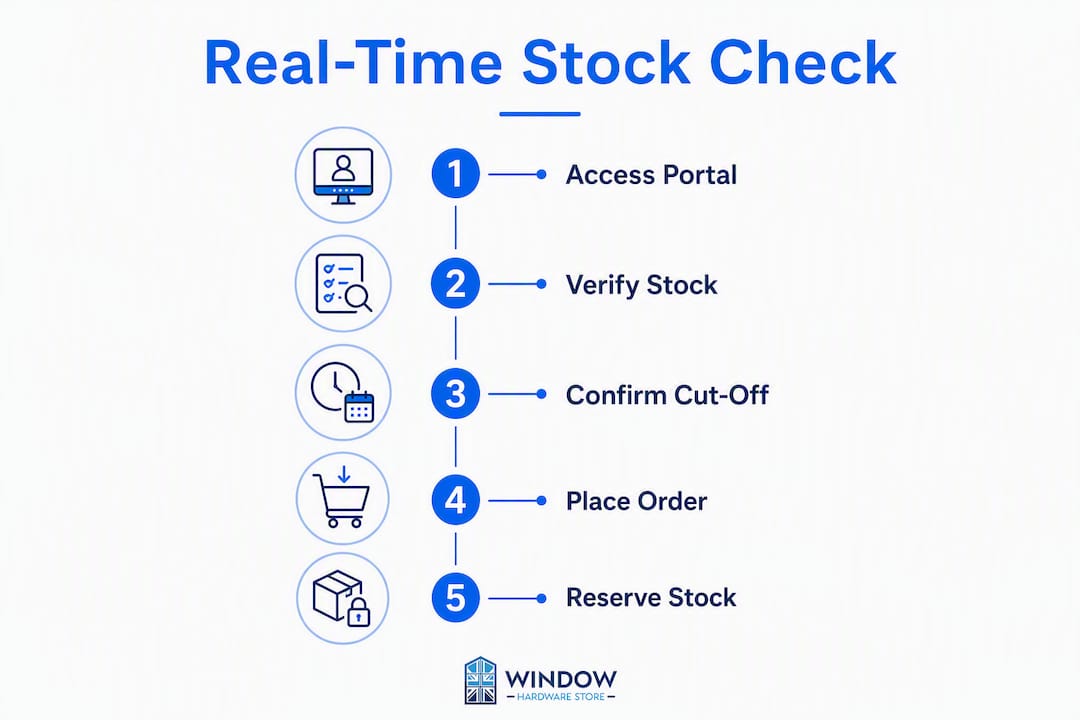
The fastest way to check live window parts stock is directly on the product page of your supplier's trade portal. Look for a clearly labelled stock indicator, confirm the part code matches your component, then reserve or place an express order before the daily cut-off time. Three steps: check the product page, verify compatibility, secure the stock.
- Check the product page first. A live stock indicator next to the product title or "Add to Basket" button is your most reliable signal. On Windowhardwarestore, this updates in real time from the warehouse database.
- Confirm compatibility before ordering. Match the part code, dimensions, and handedness against what you have on site. A wrong part wastes a day.
- Reserve or place the express order immediately. If stock shows low, use the reservation or hold function before it drops to zero. Check the cut-off time on the page and order before it passes.
The verification cue to trust: look for a "last updated" timestamp or a sync indicator on the product page. A static page with no timestamp may be serving cached data.
Table of Contents
- Where can you check live window parts stock right now?
- What do supplier stock-status labels actually mean?
- How do you confirm the correct part quickly?
- How do you place a fast order and meet the cut-off?
- What are your options when a part is out of stock?
- How does Windowhardwarestore give trades real-time stock access?
- Key takeaways
- Why real-time stock visibility changes how trades work
- Stock secured: trade access and fast delivery from Windowhardwarestore
- Useful sources for UK installers
Where can you check live window parts stock right now?
There are five practical channels, each suited to a different situation.

| Channel | Real-time accuracy | Trade account needed | Best for |
|---|---|---|---|
| Public product page (live indicator) | High — database-driven | No | Quick spot-checks, any device |
| Trade account portal (logged-in view) | Highest — includes allocated stock | Yes | Scheduled jobs, bulk orders |
| Supplier API / EDI feed | Highest — direct system integration | Yes, plus API credentials | High-volume trade, integrated ordering systems |
| Authorised distributor portals | Medium — depends on sync frequency | Varies | Manufacturer-specific parts, e.g. AmesburyTruth components |
| Telephone / rep confirmation | Verified manually | No | Emergency checks when digital channels are unclear |
Real-time availability in an inventory context means live, database-driven stock levels, not a web-uptime check. IBM's order-management documentation draws a clear distinction: a real-time availability monitor queries physical stock records, which is exactly what a well-built trade portal product page does.
For emergency repairs, go straight to the product page or call the trade line. For scheduled work, log into your trade account portal where allocated and reserved stock is visible alongside live levels.
What do supplier stock-status labels actually mean?
Labels vary by supplier, but the core set is consistent across UK trade portals. Misreading them is one of the most common causes of delayed jobs.
- In stock. The part is in the warehouse and available to pick. Proceed with your order.
- Low stock. Units remain but the count is small. Reserve immediately or call to confirm the exact quantity before committing to a job.
- Allocated / held. Stock is reserved against an existing order. Contact the trade team to confirm whether your order can still be fulfilled or whether you need to backorder.
- Backorder. No current warehouse stock, but the part is on order from the manufacturer. You can place your order now and it will ship when stock arrives. Ask for an estimated despatch date.
- Pre-order. The part is not yet in stock and has not been received from the manufacturer. Suitable for planned jobs only, not urgent repairs.
- Supplier stock (vs warehouse stock). Some portals distinguish between stock held at the supplier's central warehouse and stock held at a regional branch or third-party distributor. Delivery lead times differ.
If a label looks out of date, check for a "last synced" or "updated" timestamp on the page. Azure Application Insights documentation illustrates how sync frequency and near-real-time alerts work in availability systems — the same principle applies to inventory feeds. If no timestamp is visible and the figure seems stale, call the trade line to verify before committing.
How do you confirm the correct part quickly?
A wrong part ordered in haste costs more time than a careful check on site. Use this sequence.
- Locate the part code or ordering number. This is usually stamped on the component or printed on the original packaging. It is the single most reliable identifier.
- Check the manufacturer cross-reference. Many parts carry both a manufacturer code and a supplier SKU. The uPVC window parts compatibility guide on Windowhardwarestore cross-references common codes so you can match them quickly.
- Measure the three critical dimensions. For hinges: stacking height, arm length, and fixing centres. For handles: backset and spindle length. For gaskets: profile width and depth.
- Note handedness and finish. Left or right hand, and whether the finish (white, gold, chrome, anthracite) must match the existing hardware.
- Photograph the existing part. A clear photo of the face, side profile, and fixing holes lets a trade support team confirm the match remotely if you are unsure.
| Part type | Dimension 1 | Dimension 2 | Dimension 3 |
|---|---|---|---|
| Hinge | Stacking height (mm) | Arm length (mm) | Fixing centres (mm) |
| Handle | Backset (mm) | Spindle length (mm) | Fixing centres (mm) |
| Gasket | Profile width (mm) | Profile depth (mm) | Length required (m) |
| Locking mechanism / gearbox | Overall length (mm) | Backset (mm) | Keep type |
The trade van stocking guide on Windowhardwarestore lists the parts most commonly needed on site, which also serves as a useful cross-check when you are diagnosing a fault and need to narrow down the SKU.
How do you place a fast order and meet the cut-off?
Cut-off times determine whether your part ships today or tomorrow. Most UK trade suppliers publish a cut-off time for next-day delivery, though the exact time varies. Check the product page or your trade portal for the exact time, and treat it as a hard deadline.
- Log into your trade account before you start. Trade pricing and reservation functions are only available when you are authenticated.
- Add to basket and check the cut-off banner. Many portals display a countdown or a plain statement such as "Order by 15:30 for next-day delivery." Take that at face value.
- Use the reserve or hold function if you are not ready to pay immediately. This locks the stock against your account for a defined window, typically a few hours.
- Request a despatch reference or reservation code. This confirms the hold is active and gives you something to quote if you need to follow up.
- For urgent same-day needs, call the trade line directly. Some suppliers can arrange priority pick and despatch for confirmed trade accounts.
Pro Tip: When you call to confirm a cut-off or reserve stock, ask specifically whether the part is already picked or still in a pick queue. A part that is picked and awaiting despatch is far more secure than one that is simply showing "in stock" on the portal.
Product pages such as the E020 E gasket on Windowhardwarestore show live stock and allow direct trade checkout, making the check-to-order process a single session.
What are your options when a part is out of stock?
Out of stock does not always mean the job stops. Work through these steps in order.
- Request an authorised substitute — Ask the trade team whether a compatible alternative part meets the same specification. For security-critical components, insist on manufacturer-approved parts. AmesburyTruth authorised distributors supply genuine replacement parts with original fit and warranty guarantees, which matters on any repair where the original specification must be maintained.
- Arrange a temporary fix. For non-security-critical parts, a temporary repair may keep the window functional while you wait. Window stay maintenance guidance covers interim measures that protect the frame without compromising security.
Risk note on substitutes: always confirm that a substitute part carries the same security rating and warranty as the original before fitting it. A cheaper or unverified alternative on a locking mechanism can void the window's certification.
How does Windowhardwarestore give trades real-time stock access?
Windowhardwarestore is built for trade use. The key features available to registered trade accounts include:
- Live stock indicators on every product page, updated directly from warehouse data
- Trade account pricing, available to all customers with no minimum order
- Reservation and hold functions to protect stock for an active job
- Express next-day delivery with published cut-off times on product pages
- A trade support team for complex or urgent orders
Getting started takes four steps:
- Create a trade account at windowhardwarestore.com.
- Verify your trade details (business name, contact, and trade type).
- Log in to access trade pricing and the full product range with live stock indicators.
- Contact the trade support team if you need API or EDI access for integrated ordering systems.
Once your account is active, every product page shows real-time stock status, cut-off times, and the option to reserve or order immediately.
Key takeaways
Checking live window parts stock and securing it before the cut-off is the single action that separates a one-visit repair from a two-visit delay.
| Point | Details |
|---|---|
| Check the product page first | A live stock indicator on the product page is the fastest, most reliable availability signal. |
| Interpret labels correctly | "Low stock" means reserve now; "allocated" means call to confirm your order can still be fulfilled. |
| Confirm the part before ordering | Match part code, three key dimensions, handedness, and finish to avoid a costly return. |
| Meet the cut-off time | Order before the published cut-off (typically around 15:30) to secure next-day delivery. |
| Windowhardwarestore trade access | Register a trade account for live stock, trade pricing, reservations, and express despatch across the UK. |
Why real-time stock visibility changes how trades work
There is a version of this job that most installers know well: you arrive on site, diagnose the fault, drive back to the van, call three suppliers, get put on hold, and end up booking a second visit because the part you need is showing as available online but is actually out of stock. That gap between what a static page shows and what is actually in the warehouse is where reputations take a hit.

Live inventory data closes that gap. When a product page draws directly from the warehouse database rather than a cached snapshot, the number you see is the number that exists. That changes the decision you make on site. You can reserve the part from your phone before you have even finished the diagnostic, confirm the cut-off time, and tell the client with confidence that the repair will be completed tomorrow.
Preventive stocking is the other side of this. Installers who review their van stock against a parts checklist before the week starts, rather than after a fault is diagnosed, rarely face emergency ordering situations. The combination of live stock visibility and a sensible van inventory means the urgent call to the trade line becomes the exception, not the routine.
Stock secured: trade access and fast delivery from Windowhardwarestore
For trades who need parts today, not next week, Windowhardwarestore offers live stock visibility, trade pricing with no minimum order, and next-day delivery across the UK. Every product page shows a real-time stock indicator so you know exactly what is available before you commit to a job timeline.
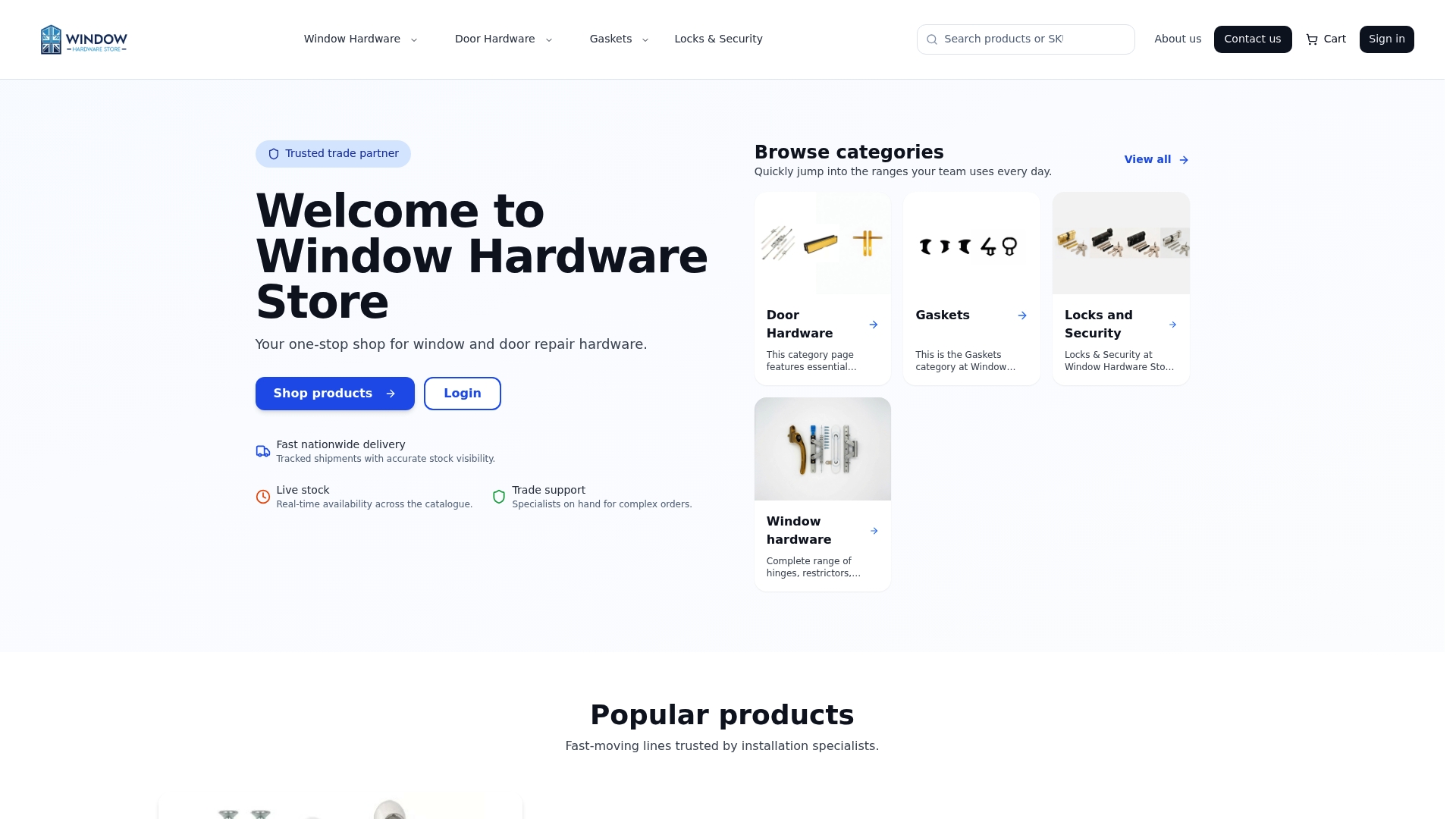
Trade accounts are free to set up and give you access to reservation functions, express despatch options, and a support team who know the product range. Whether you need a window restrictor, a gasket, or a locking mechanism, the stock status is live and the order process is straightforward.
Create your trade account at Windowhardwarestore and place your next order with confidence.
Useful sources for UK installers
- Windowhardwarestore — trade portal and live stock: Primary source for real-time window parts stock, trade pricing, and express delivery across the UK.
- uPVC window parts compatibility guide (Windowhardwarestore): Cross-reference chart for matching part codes and manufacturer equivalences on site.
- AmesburyTruth authorised resellers: Use to locate authorised distributors of genuine AmesburyTruth components for security-critical repairs.
- IBM: real-time availability monitor (RTAM): Technical definition of what real-time inventory availability means in an order-management system.
- Azure Application Insights: availability tests: Background on sync frequency and timestamp concepts relevant to understanding how live stock indicators are updated.
Recommended
- uPVC Window Parts Compatibility Guide: Cross-Reference Chart | Window Hardware Store | Window Hardware Store
- Trade Guide: Essential uPVC Window Parts to Keep in Your Van | Window Hardware Store | Window Hardware Store
- Window Hardware Store
- Window Spares | Window Hardware Store | Window Hardware Store